Intro
Not exactly. There's no instant alert that pops up when someone screenshots your story. Snapchat handles it quietly by adding a small icon next to their name in your viewer list. Easy to miss if you don't know to look for it and completely gone once the story expires.
One thing that trips people up. The screenshot indicator only works for people you're friends with on Snapchat. Someone who doesn't follow you can view your public story, screenshot the whole thing and walk away completely invisible. You'd never know they were there.
How to See Who Screenshotted Your Story
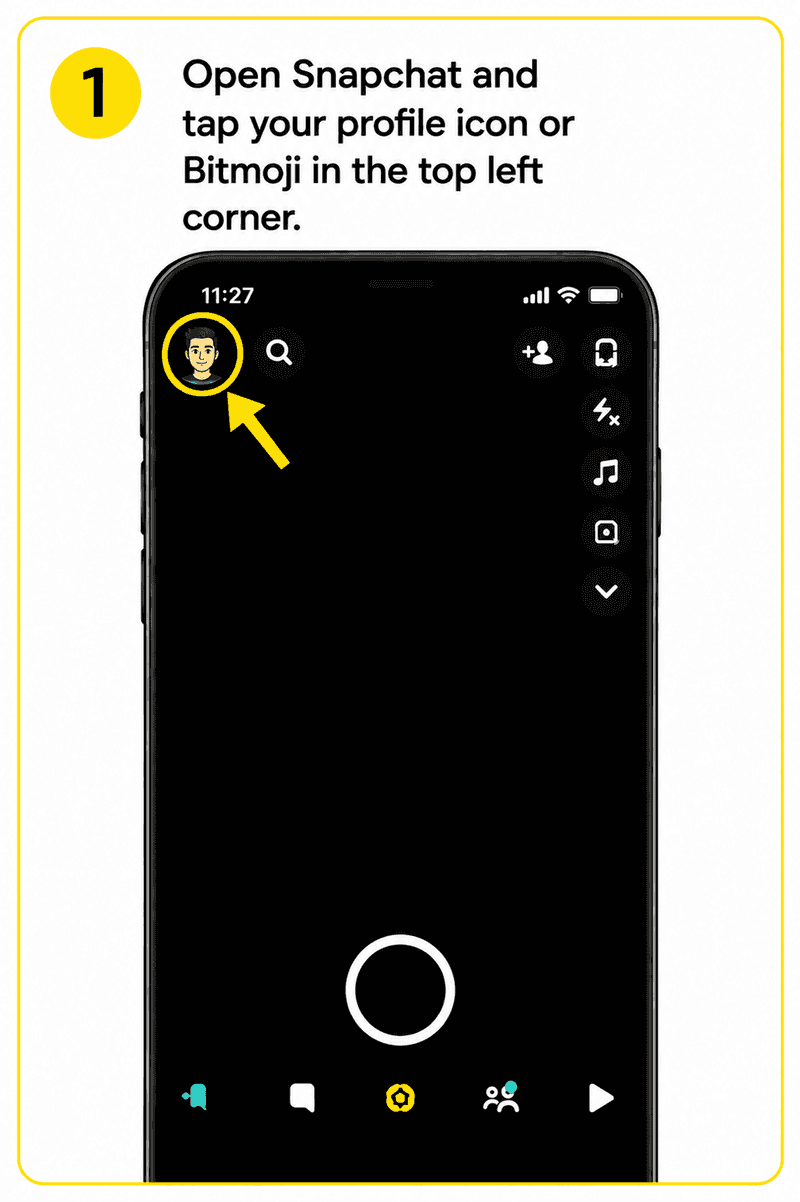
- Open Snapchat and tap your profile icon or Bitmoji in the top left corner.
- Under My Stories find the story you want to check and tap on it to open it.

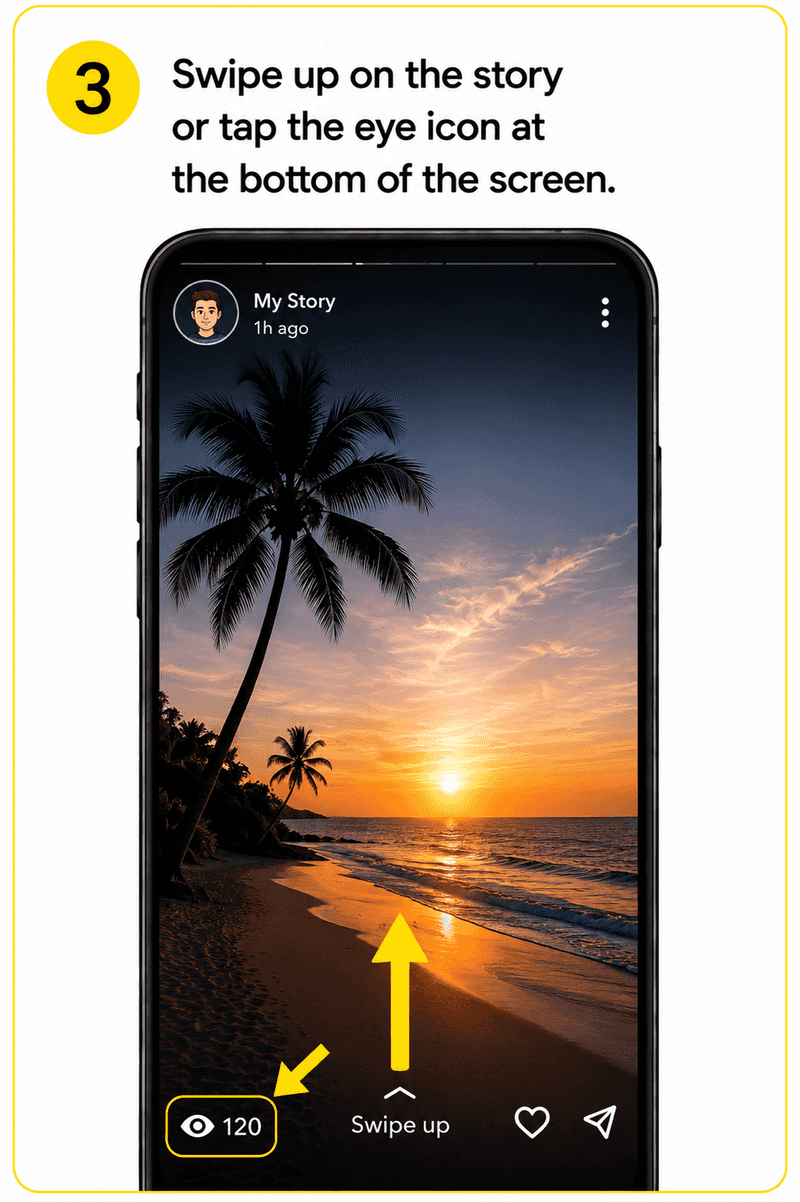
- Swipe up on the story or tap the eye icon at the bottom of the screen.
- Your viewer list will appear showing everyone who has watched the story.
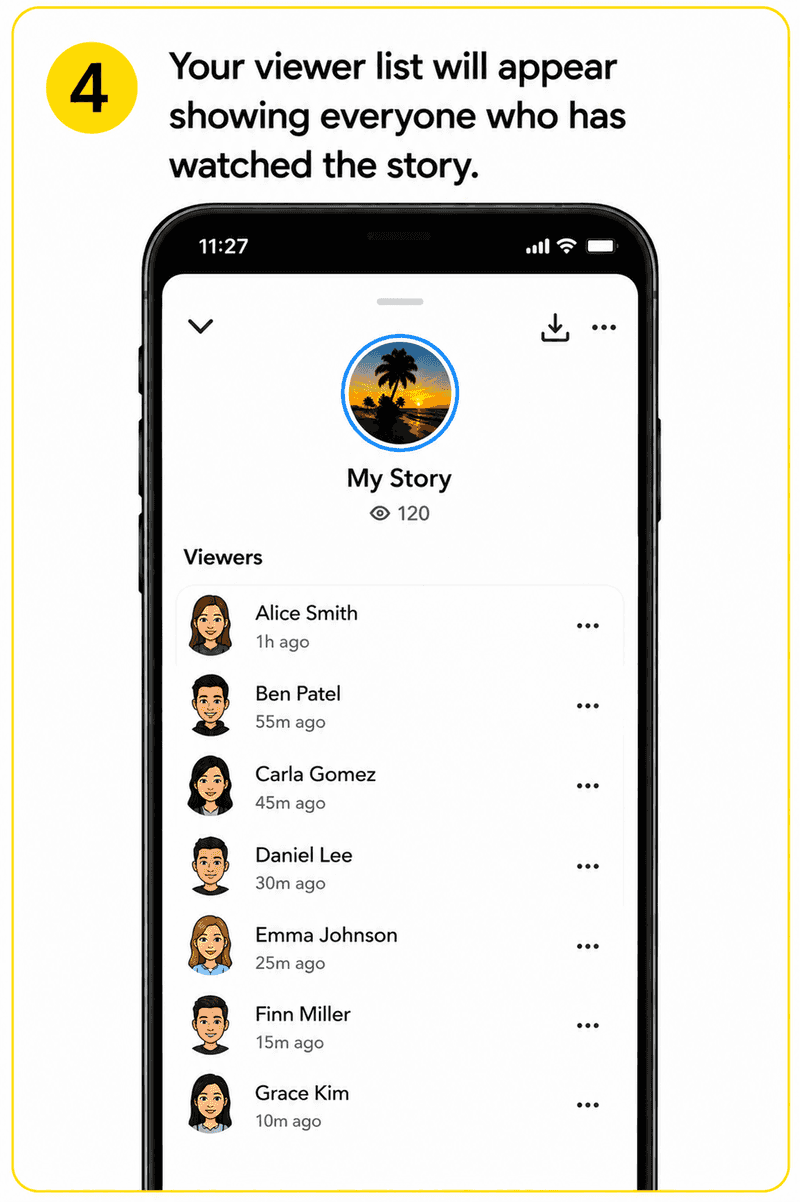
- Look through the names. Anyone who took a screenshot will have a double arrow icon next to their name. It looks like two overlapping arrows forming a square shape.
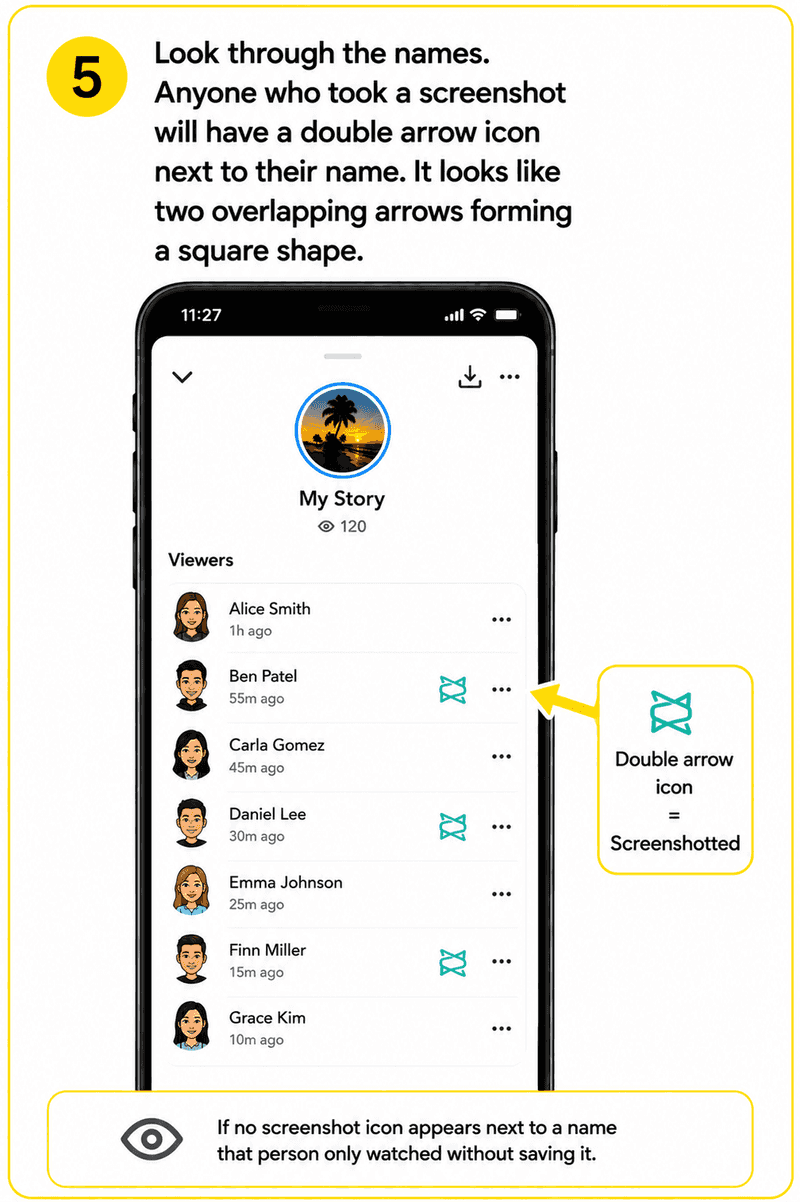
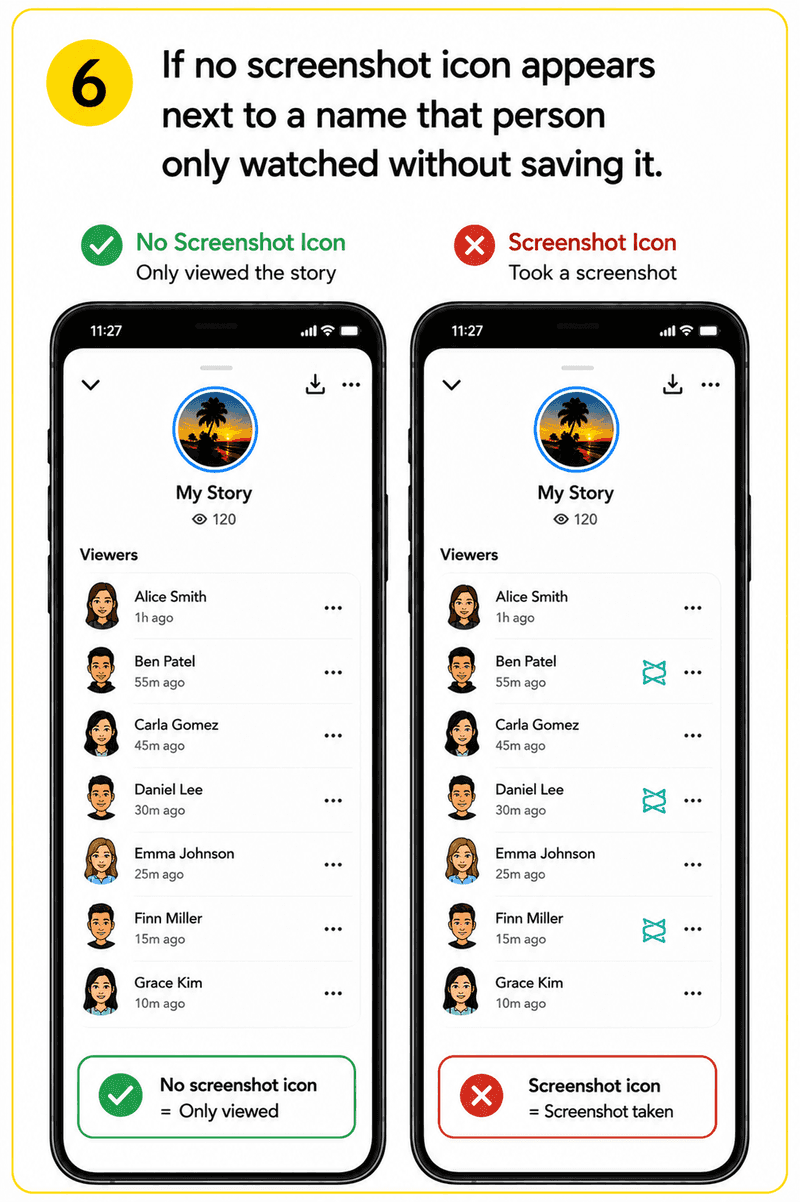
- If no screenshot icon appears next to a name that person only watched without saving it.
Check this while your story is still live. Once it expires after 24 hours the viewer list and screenshot data disappear with it and there's no way to get that information back.
Understanding the Icons in Your Viewer List
The viewer list uses a few different icons and it's easy to mix them up. Here's what each one means.
- **Eye icon: **This person watched your story but didn't screenshot it.
- **Double arrow icon: **This person took a screenshot. Two overlapping arrows forming a square. This is the one you're looking for.
- **Replay icon: **This person rewatched your story. Only visible if you have a Snapchat Plus subscription.
Once you've spotted the double arrow icon once you'll recognise it straight away next time.
What Snapchat Doesn't Show You
This is the part most guides skip over. Snapchat's screenshot detection has some real blind spots worth knowing about.
- Non-friends on public stories: If your story is public and someone outside your friends list screenshots of it you won't see who they are.
- Third party tools: Anyone who views and downloads your story through a browser-based tool doesn't show up in your viewer list at all. No screenshot is taken so nothing appears.
- Second device recording: Someone filming your story with another phone won't trigger any notification. Snapchat can't detect this.
- After 24 hours: Once the story expires all viewer data is gone permanently.
What to Do If Someone Screenshotted Your Story
Spotting a familiar name on that list and not feeling great about it is pretty common. Your options are simple. Remove them or block them. The screenshot is already done and there's nothing you can do about that part but you can stop them from seeing anything you share going forward.
If privacy is a genuine concern the most effective thing you can do is switch from a public story to a custom private story shared only with people you actually trust. You can't stop screenshots from happening but you can control who gets to see your content in the first place.
Frequently Asked Questions
Q - Does Snapchat send a notification when someone screenshots your story?
No direct push notification. Instead Snapchat marks the person's name in your viewer list with a double arrow icon. You need to go and check yourself while the story is still live to see it.
Q - Can I see screenshots after my story disappears?
The All-in-One Platform for Effective SEO
Behind every successful business is a strong SEO campaign. But with countless optimization tools and techniques out there to choose from, it can be hard to know where to start. Well, fear no more, cause I've got just the thing to help. Presenting the Ranktracker all-in-one platform for effective SEO
We have finally opened registration to Ranktracker absolutely free!
Create a free accountOr Sign in using your credentials
No. Once a story expires after 24 hours the viewer list and all screenshot data disappear with it. You have to check while the story is still active.
Q - Why isn't the screenshot icon showing up for some viewers?
A few reasons. If they are not on your friends list and viewed a public story they won't show a screenshot indicator even if they saved it. Or they may have used a download tool or second device which Snapchat can't detect.
Q - Can strangers screenshot my public story without me knowing?
Yes. If someone isn't on your friends list and views your public story their identity won't appear in your viewer list in a way you can identify. And if they use a third-party tool to download it no screenshot is taken at all so nothing shows up on your end.
Q - Can I stop people from screenshotting my story?
The All-in-One Platform for Effective SEO
Behind every successful business is a strong SEO campaign. But with countless optimization tools and techniques out there to choose from, it can be hard to know where to start. Well, fear no more, cause I've got just the thing to help. Presenting the Ranktracker all-in-one platform for effective SEO
We have finally opened registration to Ranktracker absolutely free!
Create a free accountOr Sign in using your credentials
No. Snapchat has no feature that blocks screenshots. Making your story private and sharing only with selected friends limits who sees it but can't prevent anyone from screenshotting it.
Q - What is the double arrow icon on Snapchat?
It's the screenshot indicator. When you see two overlapping arrows forming a square shape next to someone's name in your viewer list it means that person took a screenshot of your story.
Final Thought
Snapchat's screenshot checker gives you some visibility, but it doesn't show you the full picture. Friends who screenshot show up in the list. Strangers on public stories mostly don't. And anyone using a browser tool like ViewSnapStories to watch public stories anonymously won't appear in your viewer list at all since no screenshot is involved. If you post something publicly just assume it can be saved. If the content matters to you, keep it private.