Intro
In 2026, there are many ways to get a logo designed. You might use AI logo generator software or you might use a free logo maker tool. You might be a graphic designer (or you might want to hire a graphic designer) that can use advanced desktop design software.
So, what are the options in each direction? And which logo tools or software options are best ones in 2026?
In this article, we have reviewed (and ranked) the best logo tools and software in each of the following categories:
- AI logo generators;
- Freelance marketplaces;
- Free logo makers;
- Desktop software.
Here are our findings of the **top logo design tools and software in 2026 **by category:
Best AI Logo Generator Tools & Software
We recently reviewed the 30 best AI logo generator tools and here are our top 3 AI logo tools for 2026 (for those that don’t want to review the full list):
1. Design.com
- Rating: 10/10
- Summary: based on our testing, Design.com is the best AI logo generator tool the world by far
- Strengths: highest quality logos, original logos, quality and proprietary fonts, most advanced AI tool (for both AI logo generation and AI logo editing), AI brand kit and many other AI design tools (for websites, business cards etc)
- Weaknesses: none
Design.com AI generated logos:
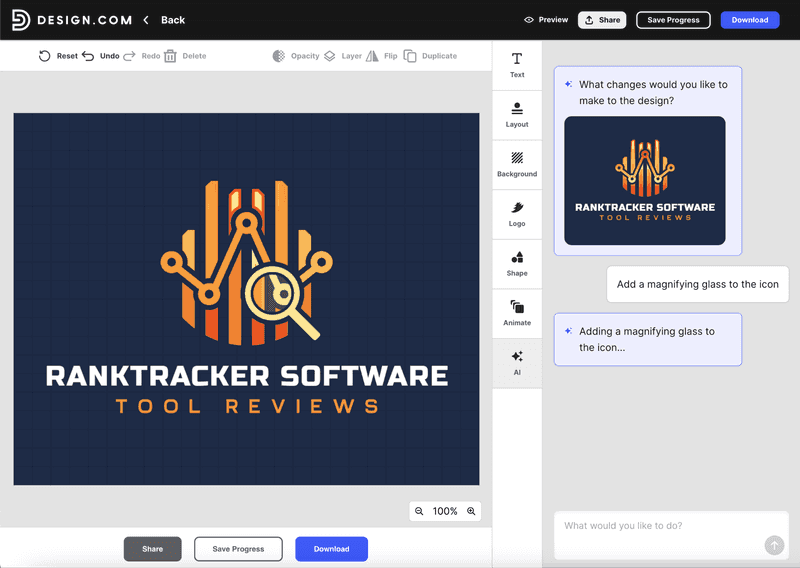
In addition to generating logos with their AI tool, Design.com’s advanced AI lets you edit vector logos with prompts as well as via manual easy-to-use design editor software (in the browser). For example, with the above logo, I was able to add a magnifying glass to the icon using a prompt:
The All-in-One Platform for Effective SEO
Behind every successful business is a strong SEO campaign. But with countless optimization tools and techniques out there to choose from, it can be hard to know where to start. Well, fear no more, cause I've got just the thing to help. Presenting the Ranktracker all-in-one platform for effective SEO
We have finally opened registration to Ranktracker absolutely free!
Create a free accountOr Sign in using your credentials
2. BrandCrowd
- Rating: 10/10
- Strengths: quality logos, unique logos, great fonts, advanced AI (for logo generation and editing), massive brand kit with other AI tools
- **Weaknesses:**none
- Summary: BrandCrowd is the second-best AI logo generator in the market, with many similar strengths to Design.com. BrandCrowd has 4.7 stars on Trustpilot based on over 9,000 reviews (as of 2026).
BrandCrowd AI generated logo:
3. Vistaprint
- Rating: 7/10
- Summary: Vistaprint’s AI logo generator is solid and came in at #3 when we reviewed the top 30
- Strengths: accurate, quality logos, good print options
- Weaknesses: basic logos, only a few options,
Best Logo Design Marketplace Tools
Online freelance marketplaces have been around since the late 1990s and have improved greatly over the last 20 years, especially when it comes to design and the emergence of crowdsourcing.
Here are our top 3 logo design marketplace in 2026 (tools that can help you find a graphic designer to design you a logo):
1. DesignCrowd
- Rating: 9/10
- Summary: DesignCrowd is the best marketplace for logo design the highest-rated design marketplace on Trustpilot (with 4.6 stars) and logos is one of its flagship products
- Strengths: many designers, quality design, low price, hundreds of design options if you want
- Weaknesses: can take a few days to get your logos
2. 99designs
- Rating: 7/10
- Summary: 99designs is a strong option if you want a designer, they have a 4.5 star rating on Trustpilot
- Strengths: many designers, many design options per project
- Weaknesses: price is very high, can take a few days to get your logos
3. Fiverr
- Rating: 6/10
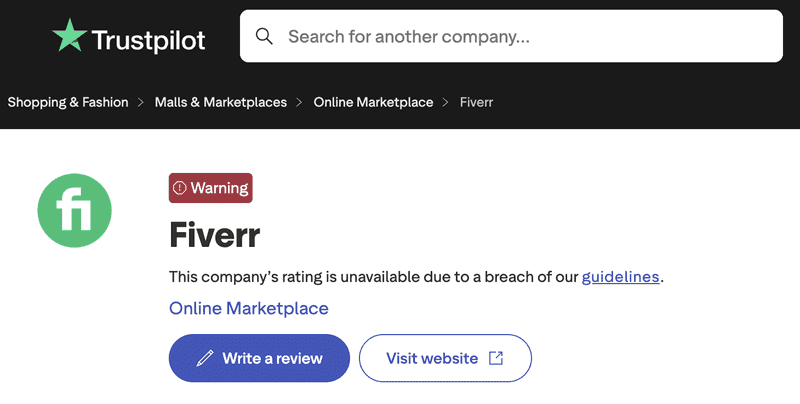
- Summary: Fiverr is a broad freelance marketplace (probably the largest) with many designers and many logo designers - but beware, its reputation is mixed (see Trustpilot reviews)
- Strengths: cheap, many options
- Weaknesses: quality of design, number of designer options, aggressive upselling, can take a few days to get your logos
Fiverr Trustpilot review page on 11 February 2026:
Best FREE Logo Maker Tools & Software
We recently reviewed the best free logo maker tools and here are our top 3 for 2026:
1. Design.com
- Rating: 10/10
- Summary: Design.com not only came it at #1 on our best AI logo generators list but it’s also our top-ranked free logo maker tool in 2026
- Strengths: many free logo templates, powerful and free-to-use logo maker browser-based software, full vector download for free, free AI logo maker and free AI logo editing, best quality logos and many other free design tools and free templates in other design categories (websites, business cards, social media)
- Weaknesses: none
2. BrandCrowd
- Rating: 10/10
- Summary: BrandCrowd comes in at #2 on our free logo maker tool list
- Strengths: loads of free logo templates, powerful logo maker software that’s free to use, vector files can be downloaded free (no watermarks), free AI logo generation and AI-editing of logos, and many other free design tools / templates
- Weaknesses: none
3. Canva Logo Maker
- Rating: 7/10
- Summary: while logos are not Canva’s main focus, Canva does have many free logo template options
- Strengths: free templates, easy-to-use editor tool, AI logo features, team and collaboration features, mobile app option, extensive language support, other free design tools (like presentations)
- Weaknesses: logo library size, quality of logos
Best Desktop Logo Software & Tools
1. Adobe Illustrator
- Rating: 9/10
- **Summary: Adobe Illustrator by Adobe remains the best desktop logo and graphic design software **
- Strengths: powerful and advanced design creation and editing software
- Weaknesses: no templates, desktop only, complicated / technical software, suits graphic designers
2. Affinity Designer
- Rating: 7/10
- Summary: Affinity Designer is Canva’s desktop software (and their answer to Adobe Illustrator).
- Strengths: powerful and advanced design editing
- Weaknesses: no templates, desktop only, suits graphic designers
Conclusion
When it comes to logo design ‘tools’ and ‘software’ there are many different options - online options, free options, desktop options and AI options.
After reviewing them all, here are our recommendations (and summary rankings):
-
Design.com best overall - is the clear #1 and best option if you want AI logo generator software or a free logo maker tool.
-
BrandCrowd 2nd best overall - is the clear #2 if you want an AI logo tool or a free logo maker.
-
Canva - offers a good free logo maker, AI logo generation, native mobile apps and also Affinity Designer (if you want a desktop option).
-
Adobe best for graphic designers - Adobe’s Illustrator product is the best option for desktop software (but only if you’re a trained graphic designer, which is not most people).
If you liked the above article on the best free logo design tools and software in 2026, then you might also like: