Intro
In 2026, many entrepreneurs are planning their next venture — and almost all of them will need a website.
With the growth of AI design tools, entrepreneurs have more ways to create and improve websites without starting from scratch.
Entrepreneurs can now use AI to generate anything from presentation pitch decks to business cards and, of course, websites.
In this article, we will deep dive into using AI to create a website.
If you Google search “AI website generators”, you will find lots of options. So, which one is best?
For several of the tools below, I tried a simple prompt: “A website for Felix’s Cafe.” The Julius AI entry is based on product information and examples supplied by Julius, rather than a new hands-on test.
The All-in-One Platform for Effective SEO
Behind every successful business is a strong SEO campaign. But with countless optimization tools and techniques out there to choose from, it can be hard to know where to start. Well, fear no more, cause I've got just the thing to help. Presenting the Ranktracker all-in-one platform for effective SEO
We have finally opened registration to Ranktracker absolutely free!
Create a free accountOr Sign in using your credentials
Here are the 7 AI website builders covered in this guide:
- Julius AI — Best for building and refining websites in conversation.
- Design.com — Best for design variety, logos and brand assets.
- Frontpage — Best for small businesses focused on leads and conversions.
- WordPress.com — Best for flexible content sites and advanced editing.
- Wix — Best for all-in-one website and ecommerce features.
- Squarespace — Best for minimalist layouts and design-led websites.
- Hostinger — Best for an accessible AI-assisted website setup.
Best AI Website Generators — Reviews and Product Overviews
1. Julius AI
Best for: Founders, marketers and creators who want to build and refine a website in conversation.
The Julius AI website builder turns a plain-language brief into a website or web app. Describe the audience, sections and visual direction, review the first version, and ask for changes in the same chat. When the result is ready, publish it to a shareable Julius site link.
This workflow suits landing pages, portfolios and small-business websites. Instead of making every layout decision up front, you can iterate: shorten a headline, reorganize a section, change the colours or add an interaction.
According to Julius, users can generate landing pages and websites in seconds, as well as images, videos and other assets that can be incorporated into the site through prompts.
For a cafe, a starting brief might be: “Create a warm, modern website for Felix’s Cafe with a menu, opening hours, location and a prominent contact button.” This is an example prompt, not a Julius test result.
The All-in-One Platform for Effective SEO
Behind every successful business is a strong SEO campaign. But with countless optimization tools and techniques out there to choose from, it can be hard to know where to start. Well, fear no more, cause I've got just the thing to help. Presenting the Ranktracker all-in-one platform for effective SEO
We have finally opened registration to Ranktracker absolutely free!
Create a free accountOr Sign in using your credentials
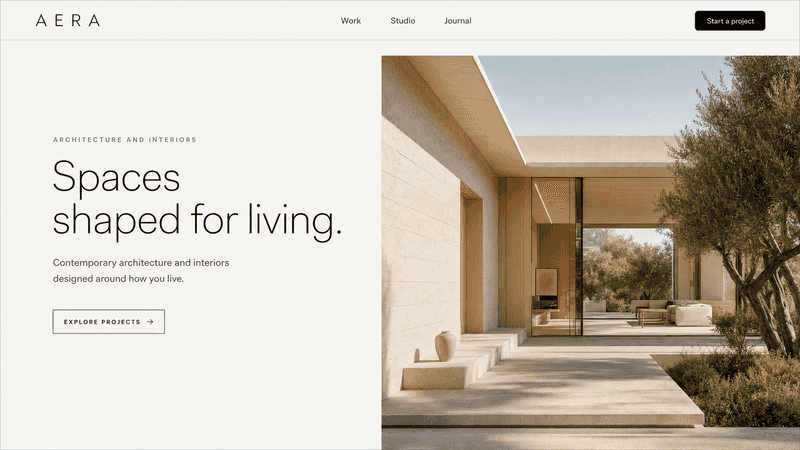
An interior-design website example featured by Julius AI.
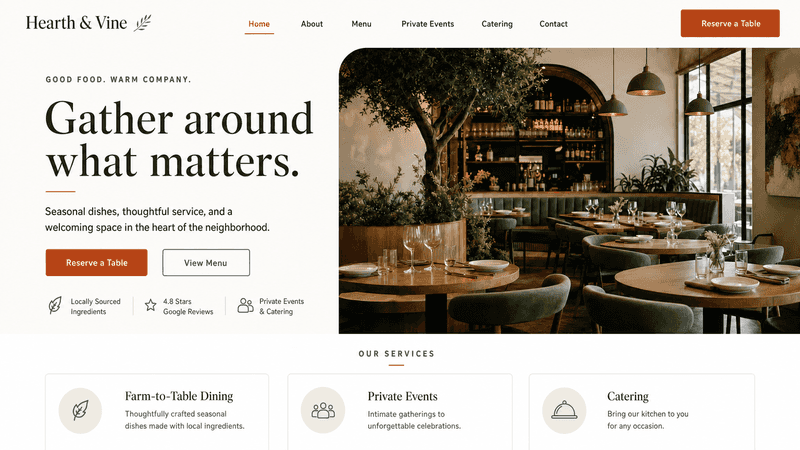
A restaurant website example featured by Julius AI.
Julius AI key features
- Prompt-based creation: Start with the purpose, content and style of your site.
- Conversational editing: Revise copy, layouts, imagery, motion and functionality using follow-up instructions.
- Interactive pages: Create browser-based tools, dashboards and data visualisations as well as conventional websites.
- Publishing: Share the finished website using a public Julius site URL.
Beyond websites, Julius also offers an AI presentation maker that turns prompts, documents and data into editable slide decks.
Pricing: New accounts receive free credits to try Julius. Paid plans provide more credits and higher usage limits.
Before launch: Review generated copy, links and mobile behaviour. Confirm any specialist integrations or backend requirements for your project.
Julius AI Website Builder Summary
- Strengths: Conversational website building, iterative editing, support for interactive content and generated assets.
- Considerations: Results need checking before publication; specialist integrations and backend requirements should be verified.
- Also offers: AI presentation maker, data analysis and visual content creation.
- Best for: Creating and refining landing pages, portfolios, small-business sites and web apps through prompts.
- Testing note: This description uses Julius-supplied product information and publicly featured examples. We did not independently test or score Julius for this update.
2. Design.com
Design.com launched in 2023 and is a leading AI design platform for entrepreneurs and small businesses.
Design.com offers one of the best AI website builders in the market - and Design.com remains a strong option for businesses focused on branding and visual variety.
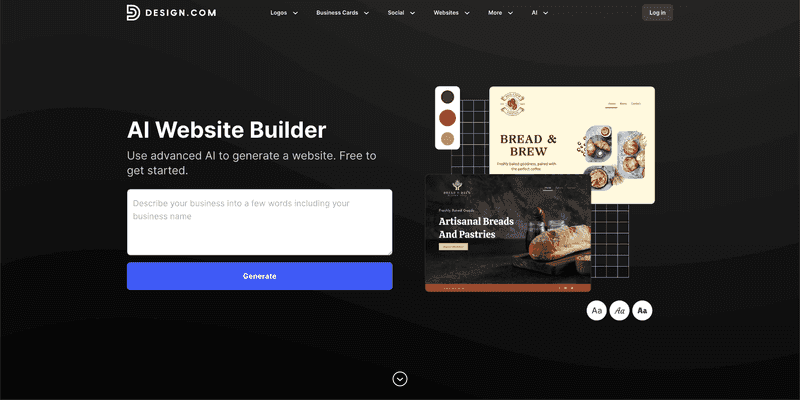
Design.com’s AI website builder takes a prompt from you and within a few seconds it generates dozens and dozens of AI-generated website options.
So, Design.com is faster than most AI website generators and it gives you more options (most other website generators only generate 1 website for you).
But the biggest strength of Design.com’s AI website builder is the quality of the design on the websites it generates.
Here are some websites Design.com’s AI generated for our example test prompt (“a website for Felix’s Cafe”):
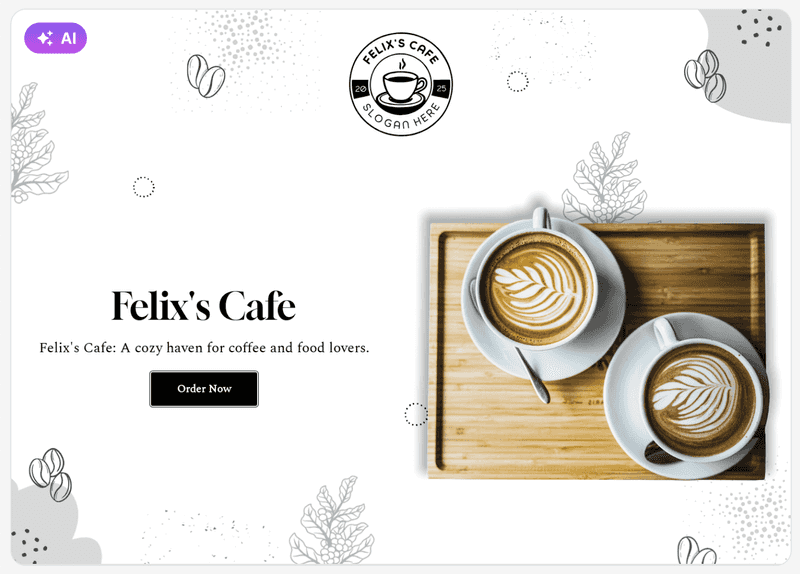
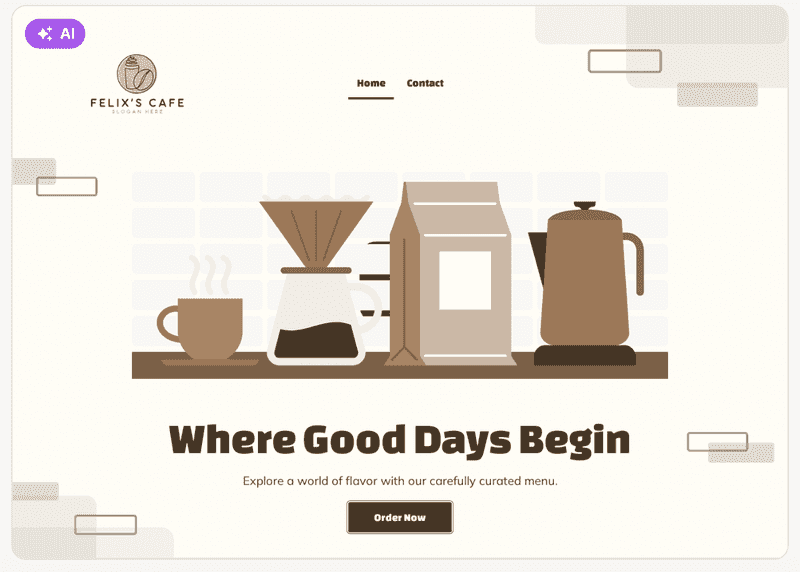
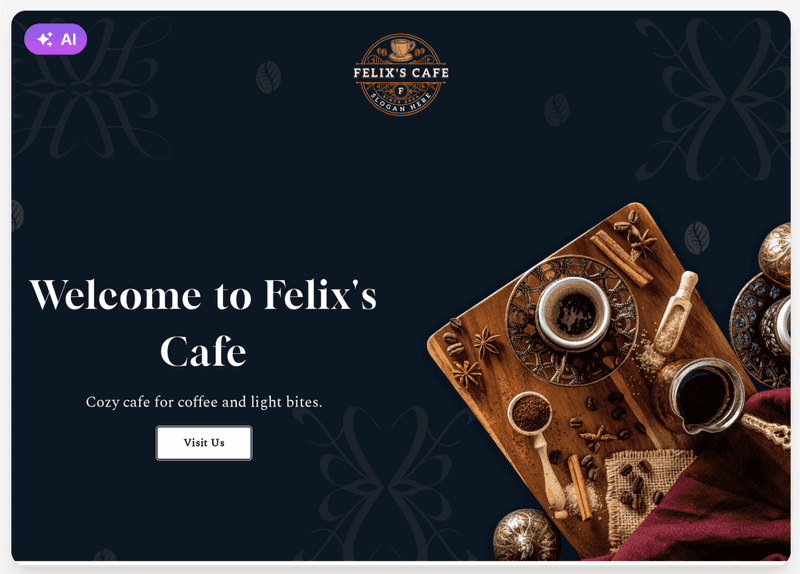
The websites generated on Design.com include copy that incorporates my business name, high-quality photography / vector graphics and, importantly, a super high-quality logo customized for my business.
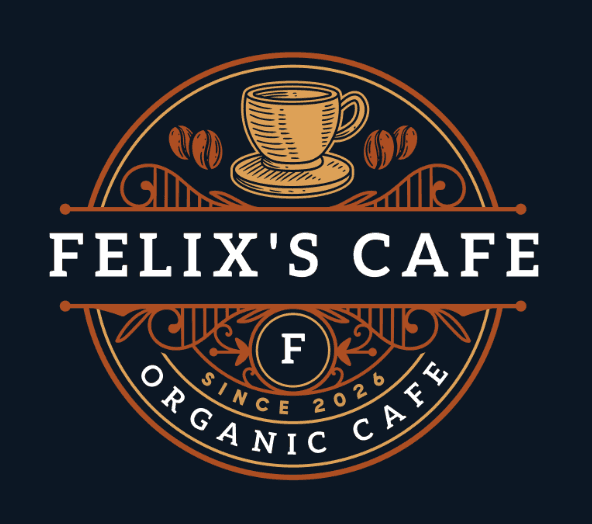
A few weeks ago, Design.com came in as #1 on our review of the best AI logo generators. So, it’s not surprising that the logos included in their generated websites are particularly amazing and this is one of the things that really separate Design.com’s AI website builder from other products in the market.
If we look at the Design.com AI-generated websites more closely, you can see the quality of the design in the logo it generated for the websites (which you can edit yourself):
After you make a website on Design.com, their platform helps you make other matching designs using the same logo on your website.
For example, you can create a matching business card to go with your AI generated website:
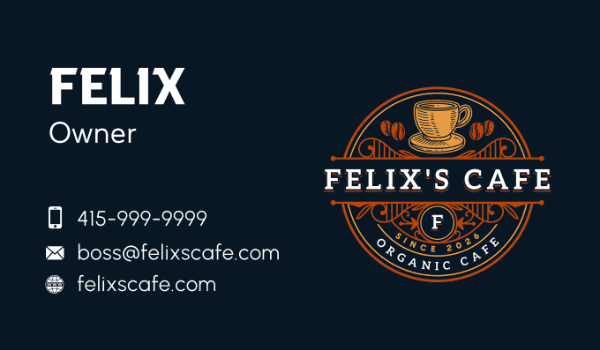
While Design.com’s AI website builder doesn’t offer the advanced features of many traditional website generators, it wins (in our opinion) because of its generation speed, number of options generated, design quality, awesome logos as well as the broad design platform your get access to after (with 50+ design tools and 1 million templates).
Design.com AI Website Builder Review Summary:
-
Design Quality: High
-
Number of Website Options Generated: 100+
-
Generation Speed: Fast
-
Strengths: design, speed, logos
-
Weaknesses: advanced website builder features
-
Also Offers: link in bio, digital business cards, AI logo generator, domain names
-
Overall Rating: 9/10
-
Best for: beautiful design, small business, simple websites
3. Frontpage
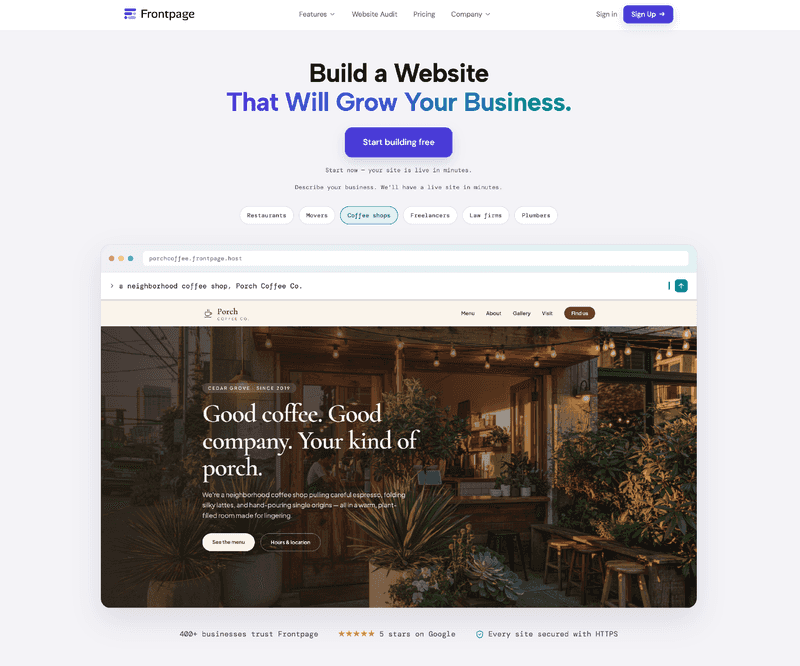
Frontpage is an AI website platform with a clear point of view: a small business does not need a more complicated website. It needs more customers.
Most of the tools in this list are built to generate a site. Frontpage is built to grow the business after that site is live.
You describe your business in plain language and Frontpage puts a real website online in minutes. Hosting is included. You can connect your own domain when you are ready. The output is not a mockup you have to rebuild somewhere else. It is already on the internet, ready for people to call, book, or buy.
That launch speed is useful. What makes Frontpage different is what it does next.
Most owners are not losing sleep over which template they picked. They are losing sleep because the phone is not ringing. Ads send traffic that never converts. Google reviews sit on a Maps listing and never make it onto the site. The homepage looks finished and still fails to tell a visitor what to do.
Frontpage is pointed at those three jobs: more reviews, more traffic, and more conversions.
Start with the audit. Before you even build, you can drop your current website into Frontpage and get a free Frontpage Score. The audit runs hundreds of checks across design, mobile, SEO, trust, and conversion, then gives you one grade and a plain-English plan to raise it. No credit card. The report lands in your inbox. If you already have a site, this is the fastest way to see whether it is helping you or costing you customers. You can run it at frontpage.host/website-audit.
Once you are on Frontpage, the Growth Advisor keeps watching the site. It looks at your pages and your analytics and comes back with specific moves: put Call now at the top, add a same-day request on mobile, ask for a review after the job. You apply the ones that make sense. The point is not another dashboard of charts. The point is a next step that can turn into more calls, more bookings, and more revenue.
Reviews sit at the center of that loop. People search Google, read what other customers said, and now they ask AI who to call. Frontpage helps you show up in those places, collect real Google reviews, and put that proof on the site so a new visitor has a reason to trust you. Then it keeps tightening the path from “I found you” to “I called, booked, or paid.” Forms, contact paths, and payments through Stripe or Square are there for the same reason.
You can also talk to the site. Ask what customers viewed this week and Frontpage will tell you where people linger, where they drop off, and what to fix next. That is a very different experience from generating one template and calling it done.
Frontpage will not give you 100 design options in a few seconds, and it is not trying to be a giant ecommerce catalog builder. It stays focused on the marketing sites that make the phone ring for local service businesses, restaurants, consultants, and solo founders.
If you want a website with a beautiful design and you want it fast, the other tools in this list may help. If you want a website that keeps earning its keep, Frontpage is the one built for that.
Try it at frontpage.host.
Frontpage Review Summary:
-
Design Quality: High
-
Number of Website Options Generated: 1 (then you keep improving it)
-
Generation Speed: Fast
-
Strengths: growth after launch, website audit, Growth Advisor, reviews, conversions
-
Weaknesses: not a 100-option design generator, less focused on advanced ecommerce catalogs
-
Also Offers: free website audit, Growth Advisor, Google reviews, domain names, payments
-
Overall Rating: 9/10
-
Best for: small businesses that need more customers, not just a website
4. WordPress.com
WordPress.com now offers an AI website builder.
WordPress uses a chat UX for its AI website builder which asks you multiple questions to get started. It takes a couple of minutes and then WordPress’s AI generates a website for you.
Here’s what it generated for me:
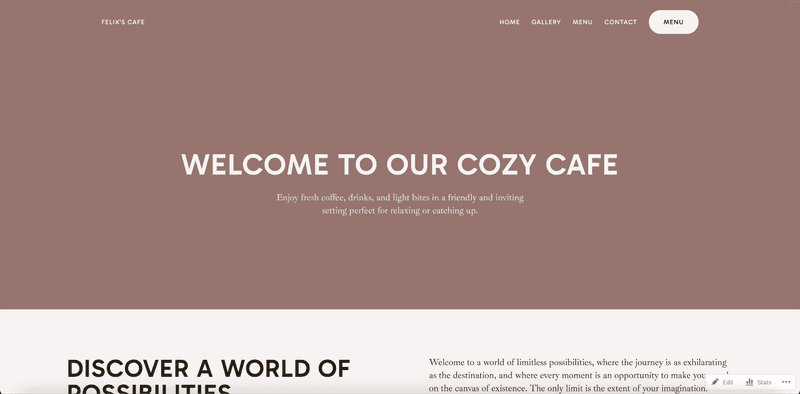
The WordPress AI experience offers both long prompt with chat UX to get started and AI chat for editing.
The design of the one website template generated was surprisingly pleasing and the copy was strong (althrough it didn’t include my business name anywhere).
But, there’s not really any effort on the “logo” (it’s just text):

WordPress.com AI Website Builder Review Summary:
-
Design Quality: Medium
-
Number of Website Options Generated: 1
-
Generation Speed: Medium
-
Strengths: copy generation, advanced website editing, WordPress platform, ecommerce, AI editing
-
Weaknesses: design, logo
-
Overall Rating: 7.5/10
5. Wix
Wix is a traditional website builder company that is moving into AI websites.
Wix uses a chat UX for its AI website builder which asks you multiple questions to get started. You can skip ahead to save time but it takes a few minutes to see the first output. At the end of the process, Wix presents you with one AI-generated website.
Here’s the website Wix generated for me …
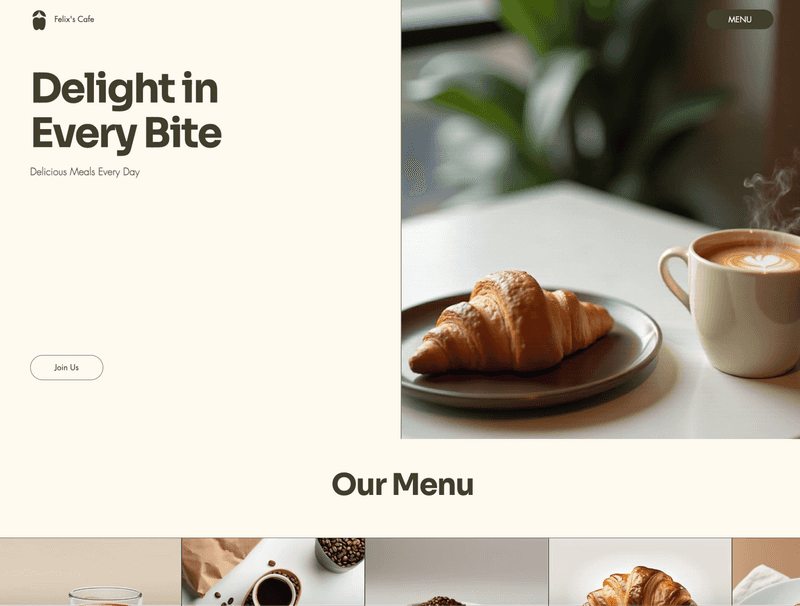
The design quality of this website is average.
If we zoom in on the logo generated by Wix …

… that’s pretty poor!
But Wix is a very strong website builder platform with a huge set of advanced features and options - particularly with ecommernce.
Wix AI Website Builder Review Summary:
-
Design Quality: Low
-
Number of Website Options Generated: 1
-
Generation Speed: Slow
-
Strengths: advanced website editing, ecommerce
-
Weaknesses: design, logo
-
Also Offers: ecommerce, domain names
-
Overall Rating: 7/10
6. Squarespace
Squarespace is a traditional website builder company that is moving into AI websites.
You might’ve seen their superbowl ads.
Squarespace’s AI website builder does not use a long prompt experience or chat UX but rather has a multi-step process (which makes it ‘feel’ more like a traditional website builder). So, I didn’t get to actually enter my prompt anywhere.
Here’s the website Squarespace generated …
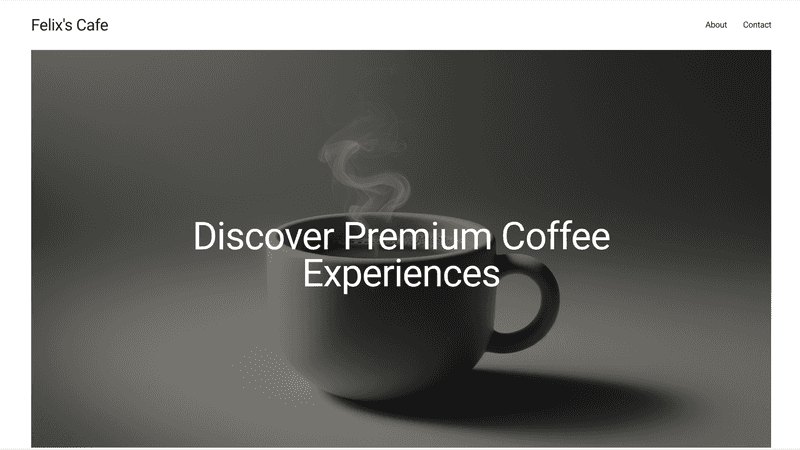
The website generated was simple and clean. From a design perspective, I’d describe it as minimalist (which is common with Squarespace’s design aesthetic). The photography use was nice.
The copy of the website didn’t include my business name anywhere - and you can see from the above the website doesn’t really have a logo.
All that said, Squarespace’s traditional website builder platform is one of the strongest in the market - particularly with design and ecommerce features. So while their AI website builder product isn’t perfect, it would presumably give you access to a lot of the bells and whistles in Squarespace’s broader product.
Squarespace AI Website Builder Review Summary:
-
Design Quality: Medium
-
Number of Website Options Generated: 1
-
Generation Speed: Medium
-
Strengths: quality photography, minimalist design, advanced website editing, ecommerce
-
Weaknesses: design, logo
-
Also Offers: ecommerce, domain names
-
Overall Rating: 7/10
7. Hostinger.com
Hostinger is a traditional web hosting provider that is trying to move into AI websites.
Hostinger uses a chat UX for its AI website builder which asks you multiple questions to get started. It then generates you 1 website option.
Here’s the website Hostinger generated …
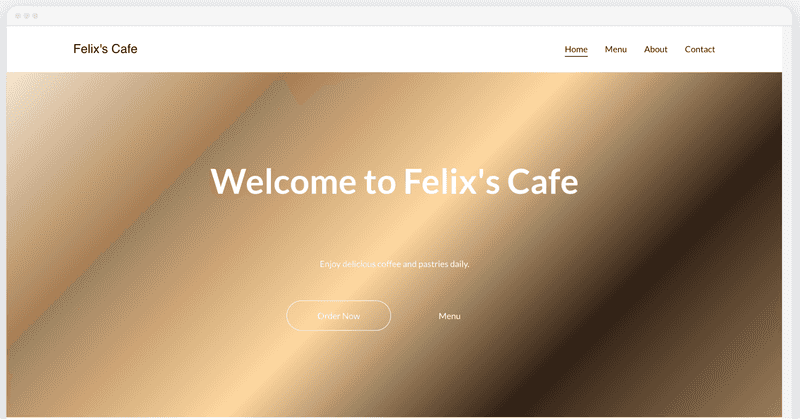
The design quality of Hostinger’s AI-generated website (see above) is fairly poor. The background gradient feels dated and makes the text hard to read in places.
If we zoom in on the logo generated by Hostinger you can see it’s not really a logo at all:
The All-in-One Platform for Effective SEO
Behind every successful business is a strong SEO campaign. But with countless optimization tools and techniques out there to choose from, it can be hard to know where to start. Well, fear no more, cause I've got just the thing to help. Presenting the Ranktracker all-in-one platform for effective SEO
We have finally opened registration to Ranktracker absolutely free!
Create a free accountOr Sign in using your credentials

This poor design detracts from the quality of the Hostinger AI website generator product.
That said, one thing we liked about Hostinger’s website builder is the copy generated did include the business name for our fictional website.
Hostinger AI Website Builder Review Summary:
-
Design Quality: Low
-
Number of Website Options Generated: 1
-
Generation Speed: Medium
-
Strengths: AI copy generation
-
Weaknesses: design, logo
-
Also Offers: domain names
-
Overall Rating: 5/10
Other AI Website Builders Outside Our Top 7
Here are some AI website generators we tested that didn’t make the cut (for various reasons) …
Lovable
One of the fastest-growing startups ever, Lovable is an AI tool that can be used to generate a website. But it just missed out on our top 7.
10Web
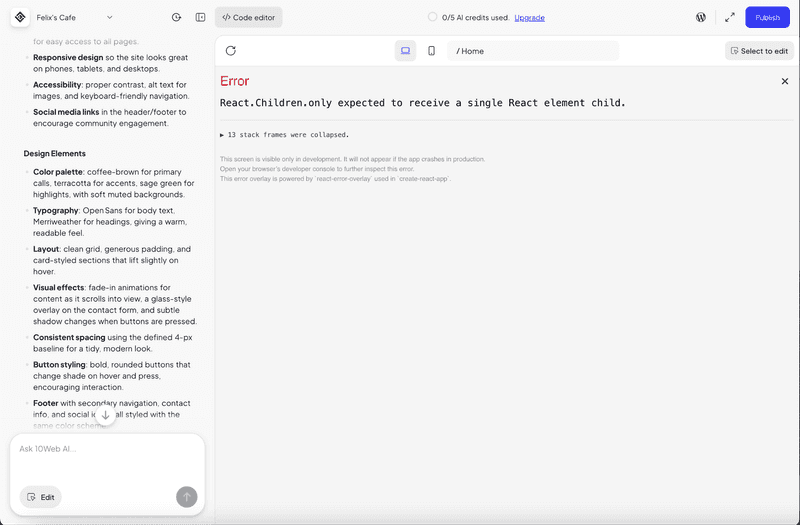
10Web took minutes to generate anything (it was very slow) and then it failed (see error below). Seems to be a bit buggy.
Gamma
The AI website builder felt more like an AI presentation maker to us. Not really optimal for website generation in our opinion.
Summary
The best AI website builder depends on your priorities. Julius AI is worth considering if you want to create and refine a website in conversation, with options for interactive pages and generated assets. If you want many visual variations and consistent branding, try Design.com’s AI website builder. For advanced site editing and ecommerce, Wix, Squarespace and WordPress.com are also worth considering.