Intro
Freelance SEO work presents a unique challenge: clients expect enterprise-level insights without enterprise-level budgets. You need to track rankings, conduct keyword research, audit websites, manage data, and present findings - all while keeping costs minimal.
The good news? A carefully curated toolkit of free resources can handle everything from technical audits to content creation to client reporting. These tools have powered thousands of successful freelance SEO projects, including my own work with over 40 clients across industries.
What You'll Learn: The essential free tools every freelance SEO needs, how to maximize each platform's capabilities, realistic expectations for free versus paid features, and workflows that combine these tools into a complete SEO system.
What Should You Expect From a "Free" SEO Tool?
Free SEO tools come with trade-offs. Understanding these limitations upfront prevents frustration and helps you work within realistic boundaries.
The Reality Check:
Most free tools offer legitimate value but include restrictions. You might face daily query limits, reduced historical data, slower processing speeds, or limited exports. Some tools provide free access to core features while locking advanced capabilities behind paywalls. Others offer completely free functionality with no strings attached.
Common Limitations You'll Encounter:
- Query caps (10-50 searches per day)
- Limited competitive analysis
- Restricted backlink data
- Basic reporting features only
- Watermarked exports or presentations
- Smaller databases compared to paid versions
When Free Tools Actually Shine:
The All-in-One Platform for Effective SEO
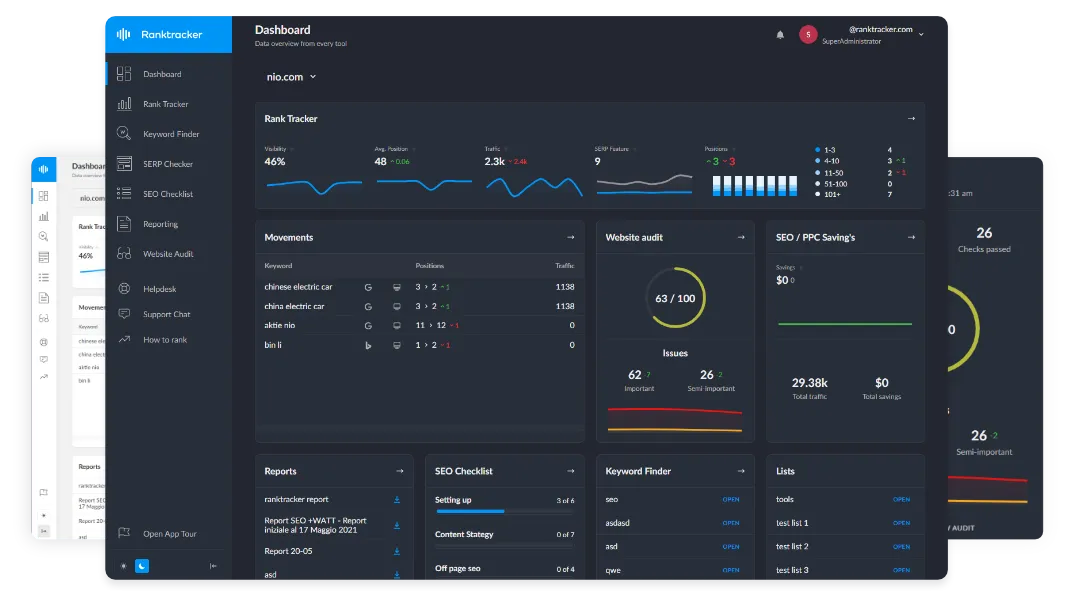
Behind every successful business is a strong SEO campaign. But with countless optimization tools and techniques out there to choose from, it can be hard to know where to start. Well, fear no more, cause I've got just the thing to help. Presenting the Ranktracker all-in-one platform for effective SEO
We have finally opened registration to Ranktracker absolutely free!
Create a free accountOr Sign in using your credentials
Free tools work brilliantly for small to medium freelance projects. A local business with 50 pages doesn't need the same firepower as an enterprise site with 50,000 pages. Most freelance clients fall into this sweet spot where free tools deliver exactly what's needed.
1. Google Search Console: Your Analytics Foundation
Google Search Console provides direct insight into how Google sees your website. This free tool shows exactly which queries trigger your pages in search results, how often users click through, and which technical issues might hurt performance.
Core Capabilities:
- Real search query data (not estimates)
- Click-through rates and impressions
- Average ranking positions
- Index coverage reports
- Mobile usability insights
- Core Web Vitals monitoring
- Manual action notifications
How to Maximize GSC for Client Projects:
Set up weekly automated email reports that highlight key metrics. Export the top 100 queries monthly to track progress over time. Filter by page to identify which content performs best. Use the URL inspection tool before and after making changes to verify Google's crawling behavior.
Ensuring your sites have a high page speed score is just as important. Faster pages not only improve user experience but also contribute to better SEO performance and higher engagement metrics.
📊 Pro Workflow: Create a monthly spreadsheet comparing impressions, clicks, and CTR across three-month periods. This historical view reveals seasonal patterns and proves ROI to clients more effectively than raw numbers alone.
The Limitations:
The All-in-One Platform for Effective SEO
Behind every successful business is a strong SEO campaign. But with countless optimization tools and techniques out there to choose from, it can be hard to know where to start. Well, fear no more, cause I've got just the thing to help. Presenting the Ranktracker all-in-one platform for effective SEO
We have finally opened registration to Ranktracker absolutely free!
Create a free accountOr Sign in using your credentials
Google Search Console only shows 16 months of historical data. It displays search queries that already drive impressions, making it useless for discovering new keyword opportunities. The interface updates with a 24-48 hour delay. You won't see real-time data.
Best For: Proving results, identifying quick wins, technical issue detection, understanding current search visibility
2. RankTracker: Monitor Keyword Performance
Tracking keyword rankings manually wastes hours. RankTracker automates this process, showing exactly where your target keywords rank in search results over time.
What RankTracker Delivers:
- Daily automated rank checking
- Unlimited keyword tracking on free plan
- Historical ranking data and graphs
- Competitor comparison views
- SERP feature tracking (snippets, local packs)
- White-label reporting capabilities
Strategic Implementation:
Add your top 20-30 target keywords immediately after starting any project. Include both primary targets and long-tail variations. Check rankings weekly rather than obsessively. Significant movement takes time - daily checking creates unnecessary anxiety.
🔥 Client Win: Track not just your client's rankings but their top three competitors. Show side-by-side progress in monthly reports. When your client moves from position 8 to position 4 while competitors stay flat, the value becomes undeniable.
Realistic Expectations:
Free plans typically limit domains or projects. You might track unlimited keywords but only for one website. Rankings fluctuate daily due to personalization and testing. Focus on trends over time rather than day-to-day changes.
Best For: Client reporting, progress visualization, competitor monitoring, identifying ranking opportunities
3. Ubersuggest: Keyword Research Made Simple
Keyword research separates successful SEO projects from wasted effort. Ubersuggest provides search volume data, difficulty scores, and content ideas without requiring a credit card.
Key Features in the Free Version:
- Three searches per day
- Keyword suggestions and variations
- Search volume estimates
- SEO difficulty scores
- Content ideas from top-ranking pages
- Basic backlink data
Effective Research Workflow:
Start with broad seed keywords related to your client's business. Review the suggested keywords list for long-tail opportunities. Export the data daily (working within the three-search limit) and compile findings in a master spreadsheet. Focus on keywords with 200-1,000 monthly searches and lower difficulty scores.
Finding the Gold:
Look for keywords where difficulty scores stay below 40 and search volume exceeds 300 monthly searches. These represent realistic ranking opportunities for most small business clients. Ignore high-volume, high-difficulty terms unless your client has exceptional domain authority.
💪 Strategic Tip: Use your three daily searches on different keyword themes. Day one: service-related terms. Day two: location-based variations. Day three: question-based keywords. This rotation builds a comprehensive keyword list within a week.
Best For: Initial keyword discovery, content planning, identifying low-competition opportunities, client keyword reports
4. Screaming Frog SEO Spider: Technical Audit Powerhouse
Technical SEO issues sabotage even the best content. Screaming Frog crawls websites like search engines do, identifying problems that hurt rankings.
What the Free Version Covers:
- Crawl up to 500 URLs
- Identify broken links (404 errors)
- Find duplicate title tags and meta descriptions
- Detect redirect chains
- Analyze page titles and headings
- Review image alt text
- Check robots.txt and XML sitemaps
Running Your First Audit:
Enter the website URL and click start. Wait for the crawl to complete. Review the response codes tab first—fix any 404 errors immediately. Check the page titles tab for duplicates or missing titles. Export findings as a prioritized task list for your client.
🎯 Quick Win Strategy: Most small business websites have 50-200 pages total. The free 500-URL limit covers these sites completely. Run full technical audits monthly and track improvements over time.
Interpreting the Data:
Red flags matter most. Broken links frustrate users and waste crawl budget. Duplicate title tags confuse search engines about which page to rank. Missing meta descriptions mean Google writes its own snippets. Address these issues before worrying about advanced optimizations.
Best For: Technical audits, site health checks, preparing migration checklists, identifying quick technical wins
5. Google Sheets: Data Management Central
SEO generates massive amounts of data. Google Sheets transforms raw numbers into actionable insights while keeping everything organized and shareable.
Core SEO Applications:
- Keyword tracking and categorization
- Rank tracking history compilation
- Content calendar management
- Backlink inventory maintenance
- Client reporting dashboards
- A/B test result tracking
Building Your Master SEO Spreadsheet:
Create tabs for keywords, content, technical issues, backlinks, and monthly reports. Use conditional formatting to highlight improvements or problems automatically. Share view-only links with clients for transparent, real-time access to project status.
To avoid chasing information across endless email threads, many freelancers pair their spreadsheets with simple client communication tools that collect content, documents, and answers in one place. This makes it much easier to keep your SEO data up to date while your clients know exactly what you need and where to provide it.
Advanced Formulas That Save Hours:
The IMPORTXML function pulls data directly from websites. VLOOKUP matches keywords across different datasets. QUERY filters large datasets without manual sorting. SPARKLINE creates mini-charts showing trend direction at a glance.
📈 Power Move: Create a dashboard tab that automatically pulls key metrics from other sheets. One-glance views of ranking improvements, content published, and technical issues resolved make client calls smooth and impressive.
Best For: Organizing all SEO data, creating client dashboards, tracking historical progress, collaborative project management
6. AnswerThePublic: Mine Question-Based Keywords
Users increasingly phrase searches as questions. AnswerThePublic visualizes these question-based queries, revealing exactly what your target audience wants to know.
What You'll Discover:
- Question keywords (who, what, where, when, why, how)
- Preposition-based phrases (for, with, without, near)
- Comparison terms (vs, versus, or, and)
- Alphabetical keyword variations
- Visual mind maps of search intent
Turning Data Into Content:
Each question represents a potential blog post, FAQ entry, or page section. Export the data and categorize questions by topic. Build content that directly answers these queries. Google increasingly rewards content that matches searcher intent precisely.
Strategic Content Mapping:
Group similar questions together. Ten variations about "how to clean hardwood floors" become one comprehensive guide rather than ten thin articles. This approach satisfies search intent better while building topical authority.
🔍 Hidden Benefit: Use AnswerThePublic data to create FAQ schema markup. Structured data displaying direct answers in search results can dramatically improve click-through rates.
Free Plan Limitations:
Two searches per day limit how quickly you can build comprehensive keyword lists. Results don't include search volume, requiring cross-referencing with other tools. The visual format works great for presentations but needs manual organization for practical use.
Best For: Content ideation, FAQ creation, understanding search intent, identifying long-tail opportunities
7. Buffer: Amplify Your Content Reach
Creating great SEO content means nothing if nobody sees it. Buffer schedules and manages social media posts that drive traffic back to optimized pages.
Core Free Features:
- Schedule up to 10 posts per channel
- Connect three social accounts
- Basic analytics and engagement tracking
- Queue scheduling for optimal posting times
- Browser extension for easy sharing
SEO-Social Synergy Strategy:
Every new blog post deserves social promotion. Schedule 4-6 posts across platforms over two weeks. Vary the messaging and angles to avoid repetition. Link back to the optimized content, driving initial traffic that signals relevance to search engines.
Maximizing Limited Scheduling:
With ten scheduled posts per platform, focus on your highest-performing content. Evergreen pieces deserve recurring promotion. Schedule posts 3-6 months apart for the same article using fresh angles or updated statistics.
💡 Smart Move: Cross-reference your Google Analytics traffic sources with Buffer analytics. Identify which social posts drive the most engaged visitors. Double down on what works.
Best For: Content promotion, driving initial traffic, building social signals, establishing thought leadership
8. ChatGPT: Content Creation Assistant
AI has transformed content creation. ChatGPT handles research, outlining, drafting, and editing tasks that previously consumed hours.
Practical SEO Applications:
- Generate content outlines from target keywords
- Create meta descriptions at scale
- Draft FAQ sections from question keywords
- Rewrite existing content for freshness
- Generate title tag variations for testing
- Brainstorm content angles and approaches
For freelancers looking to move beyond basic task management, exploring advanced content scaling techniques can help you build systems that deliver conversions, not just traffic.
Using ChatGPT Effectively:
Feed it detailed prompts including target keywords, audience description, desired tone, and content goals. Request outlines before full drafts. Use it as a starting point requiring human editing rather than final output. Never publish AI content without substantial revision and fact-checking.
🚫 Critical Warning: Google penalizes thin, unhelpful content regardless of creation method. ChatGPT-generated content needs significant human input, original insights, and proper editing before publication. Use it as a research and drafting tool, not a replacement for expertise.
The Smart Workflow:
ChatGPT creates first drafts covering basic information. You add personal experience, case studies, original data, and expert analysis. This combination produces content faster than writing from scratch while maintaining quality and authenticity.
Best For: Ideation, outlining, first drafts, meta descriptions, content repurposing, research synthesis
9. Canva: Visual Content Creation
SEO content needs compelling visuals. Featured images, infographics, and custom graphics improve engagement metrics that indirectly influence rankings.
Free Template Arsenal:
- Social media graphics (all major platforms)
- Blog post featured images
- Infographic templates
- Presentation slides
- Charts and data visualizations
- Custom thumbnails
Creating SEO-Friendly Visuals:
Design featured images for every blog post. Include relevant keywords in image file names before uploading. Create infographics that naturally attract backlinks when other sites reference your data. Build branded templates that reinforce client identity across all content.
📊 Stat Integration: Transform keyword research data, ranking improvements, or traffic growth into shareable infographics. These visual assets enhance client reports and earn social shares that drive additional traffic.
Time-Saving Templates:
Build three reusable templates: blog featured images, social media posts, and client report covers. Customize colors and logos once, then duplicate for each new project. This streamlined approach maintains brand consistency while minimizing design time.
Best For: Featured images, social media graphics, client presentations, infographic creation, report visualization
10. Pictory: Turn Content Into Video
Video content dominates engagement metrics. Pictory transforms written content into short videos perfect for social promotion and diversified content strategies.
Core Capabilities:
- Text-to-video conversion
- Automatic scene creation from scripts
- Stock footage and image library
- Subtitle generation
- Music and voiceover options
- Multiple export formats
Convert blog posts into 60-90 second video summaries using an AI video maker to increase engagement across search, social, and email channels. Upload to YouTube with optimized titles and descriptions linking back to the full article. Embed videos in blog posts to increase time on page. Share video clips on social platforms to drive traffic from multiple channels.
🎬 Content Multiplication: One 2,000-word blog post becomes a written article, a YouTube video, six social media clips, and an email newsletter. This multi-format approach maximizes the return on content creation investment.
Free Plan Reality:
Limited video creation credits mean selective usage. Focus on cornerstone content pieces that deserve maximum promotion. The watermark on free exports looks unprofessional for client-facing deliverables but works fine for personal brand building.
Best For: Content repurposing, YouTube SEO, increasing engagement, diversifying content formats, social media marketing
11. Mailchimp: Professional Email Marketing & Newsletters
Email marketing extends your SEO efforts by nurturing relationships and driving repeat traffic. Mailchimp's free tier handles client newsletters, content promotion, and audience building without costing a dime.
Free Plan Includes:
- 500 contacts maximum
- 1,000 monthly email sends
- Pre-built email templates
- Basic segmentation and targeting
- Signup forms and landing pages
- Marketing CRM features
- Basic reporting and analytics
SEO + Email Marketing Integration:
Send monthly newsletters featuring your latest blog posts and SEO insights. Each email drives traffic back to optimized content, signaling freshness to search engines. Track which content topics generate the highest open and click rates, then create more content around those themes.
Building Your Client Newsletter Strategy:
Create a monthly digest showcasing industry news, SEO tips, and your client's latest content. Segment your list by client industry for targeted messaging. Include clear calls-to-action linking to specific landing pages you've optimized.
📧 Growth Hack: Add newsletter signup forms to every piece of content you create for clients. Growing an email list creates a direct traffic channel independent of search rankings. This owned audience becomes increasingly valuable over time.
Automation on Free Plans:
Set up welcome email sequences for new subscribers. Configure abandoned cart reminders if working with e-commerce clients. Create birthday or anniversary emails to maintain engagement. These automations run continuously without manual effort.
Content Promotion Workflow:
Publish new blog post. Create Mailchimp campaign highlighting key insights. Schedule send for optimal open times (Tuesday-Thursday, 10 AM). Track clicks to measure content performance. Use data to inform future content strategy.
Best For: Content promotion, building email lists, client newsletters, driving repeat traffic, audience segmentation
12. Trello: Visual Client Project Management
Managing multiple SEO clients simultaneously requires clear organization. Trello's visual board system tracks tasks, deadlines, and project status at a glance.
Free Plan Capabilities:
- Unlimited boards and lists
- Up to 10 boards per workspace
- Basic automation with Butler (limited runs)
- File attachments up to 10MB
- iOS and Android mobile apps
- Calendar and timeline views
Setting Up Your SEO Project Board:
Create columns for different workflow stages: backlog, this week, in progress, client review, and completed. Each card represents a specific task with checklists, due dates, and attached files. Move cards across columns as work progresses.
Client-Specific Board Structure:
Give each client their own board with standardized lists: keyword research, technical fixes, content creation, link building, reporting, and questions. Attach relevant documents directly to cards. Add the client as a guest member for transparency into project status.
🎯 Workflow Optimization: Create card templates for recurring tasks. Monthly SEO audits, weekly rank tracking reviews, and quarterly strategy sessions become one-click additions with pre-populated checklists and due date formulas.
Power-Ups That Enhance Free Plans:
Connect Google Drive to attach larger files. Add Calendar view to visualize deadlines. Enable Custom Fields to track metrics like estimated hours or priority levels. These integrations extend Trello's functionality without requiring paid upgrades.
Team Collaboration Features:
Assign tasks to yourself or team members. Add comments with updates or questions. Use @mentions to notify specific people. Set due date reminders that alert you before deadlines arrive. This structure prevents tasks from falling through cracks.
Best For: Task management, client transparency, deadline tracking, workflow visualization, team collaboration.
13. Predis.ai: AI-Powered Content & Social Media Assistant
Predis.ai is an AI-based tool that helps freelancers and small teams save time on making posts, comments, and content ideas for different social media platforms. It makes planning, drafting, and organizing easier so you can focus on strategy instead of writing things over and over.
Core Free Features:
- AI-generated post captions and content ideas
- Multi-platform publishing (Instagram, Facebook, LinkedIn, Twitter)
- Content calendar overview
- Basic performance insights
**Getting the Most Out of Predis.ai:
**Use Predis.ai to batch-generate captions and post ideas for your clients. Pair it with scheduling to maintain consistent publishing across platforms. Review analytics to refine messaging and engagement strategies.
The All-in-One Platform for Effective SEO
Behind every successful business is a strong SEO campaign. But with countless optimization tools and techniques out there to choose from, it can be hard to know where to start. Well, fear no more, cause I've got just the thing to help. Presenting the Ranktracker all-in-one platform for effective SEO
We have finally opened registration to Ranktracker absolutely free!
Create a free accountOr Sign in using your credentials
Best For: Social media post generator, content ideation, batch scheduling, and boosting productivity for client campaigns.
Bonus: A Paid Tool Worth Trying for Long-Form SEO Content
If your projects involve long, research-heavy blog posts and you find yourself switching between multiple tools for outlines, drafting, editing, and optimization, you might want to try ButterBlogs.
It isn’t a free tool, but it does let you create your first blog at no cost, and it streamlines the entire writing workflow inside one platform.
Key Takeaways
Building a profitable freelance SEO business requires smart tool selection, not expensive subscriptions. These twelve free tools cover every essential function from technical audits to client management, proving that professional results come from skill and strategy rather than budget size.
Success depends on integration. Google Search Console tracks results while RankTracker monitors progress. Screaming Frog identifies problems while ChatGPT speeds solutions. Trello organizes execution while Mailchimp amplifies reach. Each tool fills specific gaps in your workflow.
Start with three core tools: Google Search Console for data, Screaming Frog for audits, and Google Sheets for organization. Add others as your client roster grows. Master fundamentals first, then let these free resources multiply your effectiveness and profitability.